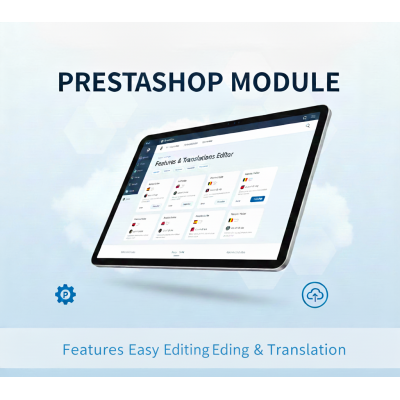
Features Edit for Comfortable Translation
zoom_out_map
chevron_left chevron_right

Features Edit for Comfortable Translation

The fastest way to edit product attribute and value translations in one interface.

Stop wasting a lot of time translating attributes using standard Prestashop functionality! This module offers a powerful and fast workspace to edit all your product attribute and value translations faster.

Compatible with: Prestashop 1.7 and higher.

€79.99 Tax included

€66.11 Tax excluded

Terms of Use
Delivery
Return policy

Overview

Are you tired of the slow, monotonous, and exhausting process of translating product features (attributes) in the standard PrestaShop system? Countless clicks are required to edit each feature name and then each of its values separately, across multiple languages... This process can take countless hours, especially for stores with large and diverse product catalogs. It is not only time-consuming but also increases the risk of errors and inconsistencies.

Introducing the Attribute Translation Workspace!

We have completely redesigned the attribute translation process. This module replaces the slow, multi-page interface with a unified, powerful, and intuitive workspace designed for maximum efficiency.

Benefits

  • Save Massive Amounts of Time: Work that previously took weeks, or even months, can now be completed significantly faster, thanks to a single-page interface that puts everything you need at your fingertips.

  • Improve Translation Quality: See the feature name and all of its values in one place. This provides the necessary context and helps you avoid translation errors, ensuring consistency across your store.

  • Forget the Hassle: Enjoy a fluid, modern, and fast interface with zero page reloads. Searching, editing, and saving happens instantly.

  • Clean Up Your Database: Discover and fix "orphans" – attribute data (features without names, often resulting from faulty imports) that are usually hidden within the PrestaShop administration panel.

Features

  • All-in-One Workspace Interface: A clear, two-panel layout. Select an attribute on the left, and its name and all values immediately appear on the right, ready for translation.

  • Instant In-Place Editing: Forget about "Edit" buttons and new page loading. Simply click on any translation field and start typing.

  • Automatic Saving: Your work is saved to the database automatically the moment you finish editing a field. Clicking outside the field will instantly save the translated information.

  • Lightning-Fast (AJAX Technology): The entire application is built on modern AJAX technologies. The interface is incredibly responsive, without any delays.

  • Powerful Live Search: The list of attributes in the left panel can be filtered in real-time. Start typing to find the exact attribute you need.

  • Focus Mode ("Show Untranslated Only"): With one click, hide all rows that are already fully translated. This allows you to focus only on the remaining work.

  • Broken Data Repair: The module is capable of finding attributes that are missing a name in the default language. It clearly displays them so you can either assign a correct name or identify them for deletion.

Stop wasting time and start translating efficiently. The Attribute Translation Workspace is an indispensable tool for any multilingual PrestaShop store.

features_mass_edit

Delivery

All products offered in our store—both PrestaShop modules and themes—are digital products. We do not ship any physical goods, as everything you need is delivered electronically.

This provides two key advantages:

  1. Free Delivery: You will never have to pay for shipping.

  2. Instant Access: You will receive your files almost immediately after completing your purchase.


How Does Delivery Work?

The process is simple and fast:

  1. Place Your Order: Add your desired modules or themes to the cart and proceed with payment.

  2. Receive Confirmation: As soon as your payment is confirmed (this usually happens within a few minutes), your order will be automatically completed.

  3. Download Your Files: You will gain access to your purchases in two ways:

    • Via Email: We will send you an email with your order confirmation and direct download links.

    • In Your Customer Account: You can log in to your customer account on our website at any time, go to the "Order History" (or "Downloads") section, and download all purchased files.

How quickly will I receive my order?

Access to your modules and themes is granted automatically and immediately upon successful payment reception. You will be able to start working with your new purchase within minutes.

Can I download the files again?

Yes. Your purchased files (and often future updates, if applicable) will be permanently available in your customer account.


Important Note (if needed): Please ensure you provide a correct email address during registration or checkout. If you do not receive your download links within 15 minutes of purchase, please check your email's spam folder or contact us immediately.
1 other product in the same category: